Card restoration quotes, from your own price list in minutes
How to quote the restoration of collectible cards: defects from a catalogue with your prices, a preliminary quote on photos and a final one after diagnosis.
Updated Sep 16, 2026
The quote is the first document a client receives from you, and often the one on which they decide whether to trust you with cards worth hundreds of euros. It has to be clear, consistent from one client to the next, and honest about what can be estimated from a photograph and what cannot.
In Registro a quote is not written: it is assembled.
A defect catalogue, with your numbers
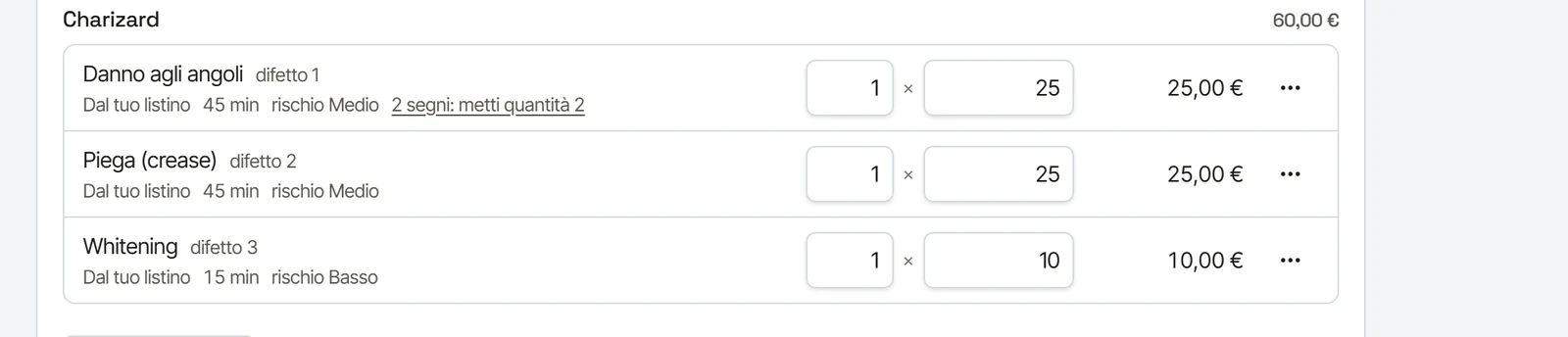
The defects you find on cards are always the same: edge whitening, scratches on the coating, corner creases, dents, stains, glue residue, ink. In Registro they form a catalogue, and each defect has severity levels. For each combination of defect and level you set once:
- the price;
- the estimated time;
- the difficulty;
- the risk of the treatment.
From then on the catalogue works for you. The price list is yours and stays yours: Registro does not suggest prices and knows nothing about the market value of cards.
The preliminary quote, on the photographs
When a client sends a request from your public page, the photos are already in each card's file: front, back and the close-ups of the defects you asked for. You look at the photos, mark each defect where you see it, pick the level. The total and timing are calculated for you, VAT included, and the document comes out with your logo in the client's language.
The preliminary quote is an estimate from photos, and it says so. A photograph does not show everything: a crease under the coating or a light dent may only show with the card in hand under raking light.
Quantity, discounts and VAT
A quote is not only the sum of the defects. The same damage marked in four places is one line with quantity four, not four lines. A line can also be written by hand when you need it: insured shipping, special packing, a consultation.
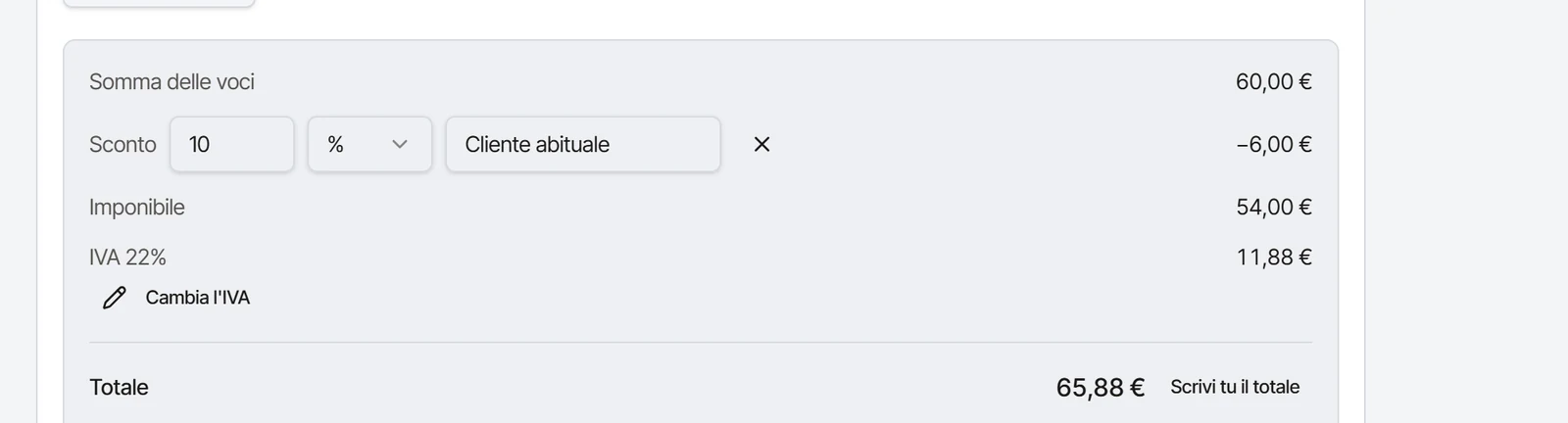
On the total you can apply a discount as a percentage or in euros, with a reason the client reads in the document ("regular client", "second batch this year"). VAT is set once in the studio settings and can be changed on a single quote or a single line; if your price list already includes VAT, Registro takes it out. Anyone without a VAT number leaves the rate at zero and never sees it.
And the total stays yours: if you decide that job costs 200 euros and that is that, you write it, and the account rebuilds itself from there.
The final quote, after diagnosis
When the cards arrive, you diagnose them in person: you confirm the defects from the preliminary quote, add the ones the photos did not show and remove the ones that were not there. The final quote comes from this diagnosis and replaces the preliminary one without deleting it: both versions stay in the archive, and the client has to accept again.
In the final quote you can also say what you choose not to treat, and why: a treatment too risky for the value of the card, a defect that restoration would make more visible. It is a professional decision, and putting it in writing protects both you and the client.
Tracked acceptance
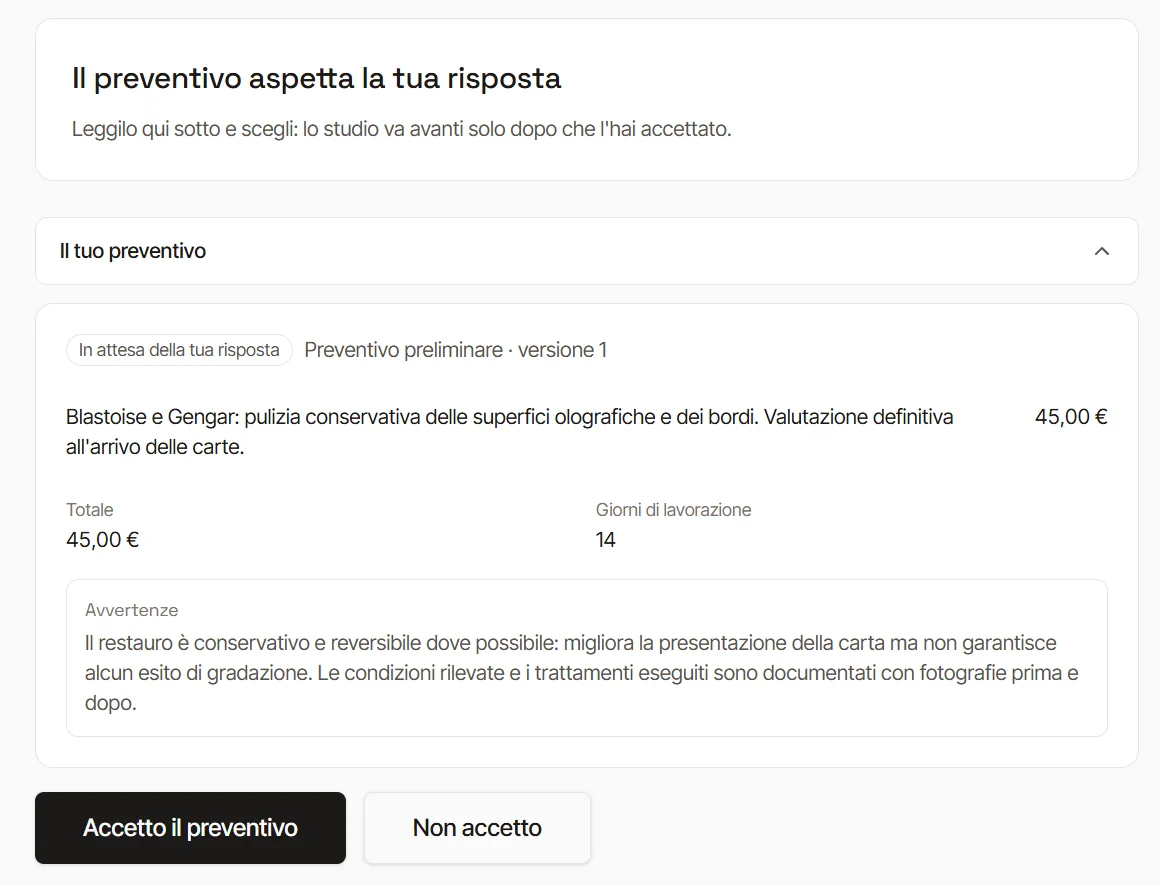
The client accepts or declines the quote from their area with a single tap. The choice is recorded with the date and with the version of your terms of service in force at that moment, and cannot be changed afterwards. An accepted quote is never overwritten: if something changes, a new version is created.
What must never be in a quote
- A promised grade. No restoration guarantees a grading outcome, and a document promising one would expose you to the first client who takes it literally. In Registro valuation estimates stay in a separate section and are labelled as estimates.
- A market price for the card. The value is declared by the client, for shipping and insurance.
- Vague items. "Cleaning and tidying up" says nothing; "whitening on the right edge, level 2" does.
For how to photograph defects and what to write in the final document, see the page on the restoration report and the guides.
Frequently asked questions
Can I use different prices for different clients?
The catalogue gives the starting price of each item; in the individual quote you can adjust it before sending. The document shows what you decided.
Can the quote ask for a deposit?
Yes. In the quote you set any deposit and the working days; the client sees both in their area and in the document.
Which language does the client receive it in?
The one they chose at the start of the request: Italian, English, French, German or Spanish. Catalogue items translate themselves; free notes stay in the language you write them in.
If I do not use the public page, can I still make quotes?
Yes. You can create the client and the commission by hand in the app and upload the photos yourself, from the computer or from the phone with the card file's QR code.